

What Are The Best Password Managers With Cloud Sync?
Managing dozens of passwords can feel overwhelming. Between email accounts, streaming services, shopping apps, and online banking, it's easy to lose track of everything. Reusing the same password across multiple sites is risky, and writing them down isn't secure. That's where password managers come in, especially those that offer cloud sync.
These tools help you generate strong, unique passwords, store them safely, and automatically fill them in when needed. But not all password managers are created equal. The ones listed below offer reliable cloud sync along with strong features that help keep your online life organised and secure.
1. LastPass – Easy To Use With Cross-Device Sync
LastPass has been around for years and is often one of the first names that come to mind when people discuss password managers. Its user interface is simple, and it supports cloud sync even on the free tier (though cross-device sync is now limited to paid plans).
The platform automatically fills in passwords, saves new logins, and enables secure password sharing with others. It's compatible with most browsers and operating systems, and you can set up emergency access for trusted contacts. The app also alerts you to reused or weak passwords.
Its cloud sync works reliably across desktop, mobile, and web extensions. Your data is encrypted using AES-256 before it ever leaves your device. Just remember to pick a strong master password—this is your primary key.
2. Bitwarden–Secure, Open-Source, And Budget-Friendly
Bitwarden is a favourite among people who want transparency and control. It's open-source, which means anyone can inspect its code. That’s a strong point for privacy-focused users.
It offers free syncing across all your devices, even without a premium plan. This includes access from web browsers, desktop apps, and mobile devices. Bitwarden also supports two-factor authentication and offers password breach reports to alert you if one of your stored logins is compromised.
Cloud sync works seamlessly once you're logged in. Since the vault is end-to-end encrypted, no one, including Bitwarden, can access your data. You can even host your vault if you don't want to rely on Bitwarden's servers. The premium plan is affordable and includes additional features, such as 1GB of encrypted file storage.
3. 1Password – Smooth Performance With Travel Mode
1Password is renowned for its polished interface and exceptional syncing performance. The design is clean, and everything from setup to daily use is intuitive. One standout feature is Travel Mode, which lets you hide sensitive items from your vault when crossing borders—only the data you choose remains accessible until you turn Travel Mode off.
Cloud sync is part of the package and works without any setup. Whether you're on Windows, Mac, iOS, or Android, you’ll have full access to your vault. Browser extensions are available for quick autofill, and they integrate with many other apps and systems.
It doesn't offer a free plan, but for families or professionals seeking a secure and elegant solution, 1Password is often worth the cost.
4. Dashlane – Built-In VPN And Easy-to-Understand Reports
Dashlane stands out by including a VPN in its premium package, which adds an extra layer of security for users accessing public Wi-Fi. The password manager itself is fast, and cloud syncing works automatically after you sign in.
Its user-friendly dashboard shows password strength, reuse alerts, and dark web monitoring results. This helps users take quick action if one of their accounts is breached. You’ll also get real-time alerts when something suspicious happens.
The cloud sync experience is smooth, although Dashlane no longer offers a desktop app; everything now runs through the browser extension and mobile apps. While this might feel limiting for some, the web-first design does keep things streamlined.
5. NordPass – Backed By Cybersecurity Experts
NordPass was created by the team behind NordVPN, so it's built on strong security principles. It supports all major platforms and browsers and offers real-time syncing between devices through cloud encryption.
The interface is modern, and setting it up takes only a few minutes. It uses a newer encryption method (XChaCha20) for added protection, and the company operates under a zero-knowledge architecture.
With NordPass, you can organise items such as passwords, credit cards, and secure notes. It includes a password health checker and breach scanner to monitor your credentials for exposure. The cloud sync is reliable, fast, and requires minimal user input.
Why Cloud Sync Makes A Difference
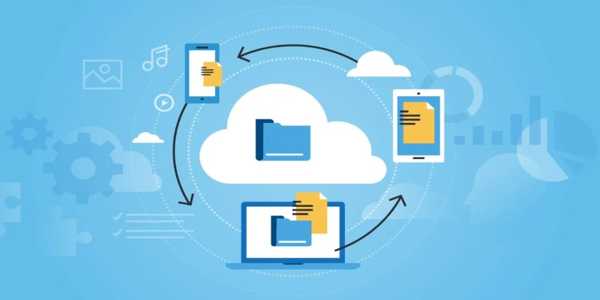
Most password managers store your encrypted password vault either locally or in the cloud. Cloud sync means your vault is encrypted and backed up online, allowing seamless access across devices. It's beneficial if you switch devices often or work across multiple platforms.
Some people worry about storing their passwords "in the cloud," but a good password manager uses encryption, so even if someone intercepts the data, it remains unreadable. The master password—the one you use to unlock the vault—is never stored on company servers, and zero-knowledge architecture ensures that neither the provider nor anyone else can access your data. With that peace of mind in place, let’s look at the password managers doing it right.
Cloud sync also means you won’t lose your data if your phone or computer gets lost or damaged. Updates to your vault—like new logins or changed passwords—are saved instantly and reflected everywhere. It’s convenience without sacrificing security.
Keeping Your Data Safe While Staying Organised
A password manager with cloud sync is one of the simplest tools you can use to improve both your online security and daily convenience. It saves time, cuts Stress, and helps you avoid risky habits like reusing passwords. Whether you're working on a laptop, checking something on your phone, or logging in from a tablet, your logins are always available.
No matter which tool you choose from this list, the core idea stays the same: secure your accounts, store your logins safely, and make access easy from anywhere. Cloud syncing means your password vault stays with you, even when your devices don’t. That's one less thing to worry about in an already busy digital world.