
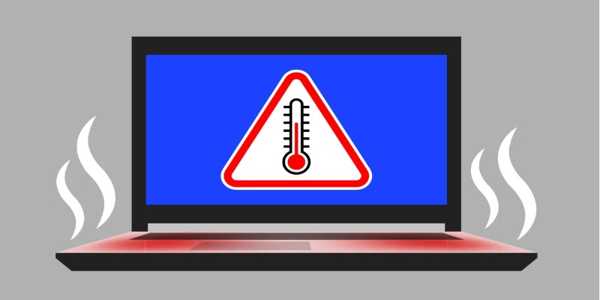


How To Choose Antivirus Software That Won’t Slow You Down?
Have you ever installed antivirus software only to realize your laptop or PC suddenly feels sluggish? You want protection from malware, phishing, and ransomware—but not at the cost of performance. So, how do you find antivirus software that offers strong security while still allowing your device to run smoothly?
Not all antivirus programs are built the same. Some are light and efficient. Others, while powerful, can hog resources and interfere with daily tasks. If you're trying to strike the right balance, there are a few key factors to consider. This guide has got you covered.
Why Some Antivirus Programs Slow Down Your Device
Before choosing an antivirus program, it's helpful to understand why some programs slow down your system in the first place.
Most antivirus software runs constantly in the background. It scans files, checks websites, and monitors new downloads in real time. While that’s useful for staying protected, it uses memory (RAM), CPU power, and sometimes even disk space. When an antivirus is poorly optimized or too feature-heavy for your device, it starts dragging everything else down—web pages take longer to load, apps freeze up, or you notice delays while typing.
It’s not about how powerful the antivirus is, but how well it fits with your computer’s specifications. That’s why choosing one that aligns with your needs matters more than just picking the most popular name.
What To Look For In Lightweight Antivirus Software
You don't have to choose between protection and speed. Here are a few key features to consider when selecting antivirus software that won't compromise your system's performance.

Real-Time Scanning With Low Resource Usage
Real-time scanning is a must. But it should be efficient. A good antivirus should be able to run in the background without consuming excessive CPU or memory resources.
Test this by checking Task Manager (Windows) or Activity Monitor (macOS) when the antivirus is running. Does it consistently sit at high usage levels? If yes, it’s likely to slow you down during multitasking.
Some antivirus software brands known for being lightweight use cloud-based scanning. This means they check files online without using much of your hardware.
Minimal Background Processes
Some antivirus programs install multiple services that run even when you're not scanning anything. If the software has too many processes, it silently consumes your system's resources.
Instead, look for antivirus tools that combine all functions into a single process or only run when necessary. These are easier on older computers or budget laptops that aren’t built for heavy-duty security programs.
Customizable Settings
Good antivirus software should let you fine-tune how it runs. Can you schedule scans at times when the device is not in use? Can you turn off certain real-time checks that you don't need?
The more control you have, the more you can adjust things to avoid slowing down your workflow.
A “Silent” Or “Gaming” Mode
These modes pause scans and background updates while you're performing tasks that require full performance, such as watching videos, editing files, or playing games.
Even if you're not a gamer, having a silent mode helps avoid sudden system lags or pop-ups during essential tasks.
Antivirus Software Features You Might Not Need
Some antivirus packages come bundled with dozens of extra features. While that might sound like a bonus, many of these add-ons slow down your system without giving much added value.
Here are a few examples that often aren’t necessary:
Password Managers
Most browsers, like Chrome and Safari, already offer built-in password storage with encryption.
VPNs
If you already use a standalone VPN, the one bundled with antivirus software might be redundant or less secure.
System Cleaners
These tools often duplicate the functionality already provided by your operating system. Worse, some can be aggressive and delete essential files.
Less is often better. Choose software that focuses on its core job: protection, not extra utilities you don’t need.
How To Test Antivirus Impact On Performance Before You Commit
Many antivirus software options offer free trials. This is an excellent opportunity to see how they behave on your system before making a purchase.
When testing, open your usual apps—such as web browsers, documents, and possibly a video or two—and see how your device performs. If things are noticeably slower or there are delays even after the scan ends, that's a red flag.
Try running a full system scan and then repeating the test. Some antivirus software programs run smoothly when idle but become sluggish during scans.
You can also search for performance test results from independent labs, such as AV-Comparatives or AV-Test. These labs regularly publish speed and performance scores for antivirus brands across different devices.
Examples Of Antivirus Software That Prioritise Speed
While this list is subject to change over time, a few names have established a reputation for being lightweight and performance-friendly.
Bitdefender Antivirus Plus
It uses cloud scanning to reduce the load on your device. Known for solid protection without noticeable slowdowns.
Eset Nod32 Antivirus
Simple and clean interface with low system requirements. Especially popular among users who don't need extra features.
Kaspersky Standard
Offers a good balance between security and speed. Comes with a performance mode that reduces its impact on the system.
Microsoft Defender (Built-In On Windows 10/11)
Often overlooked, but it has improved significantly and operates quietly in the background, using minimal resources.
Webroot Secureanywhere
Extremely lightweight. It installs quickly, uses little space, and doesn’t hog system resources.
These aren’t the only options, but they are good starting points if performance is a top priority.
Keeping Your Device Secure Without Sacrificing Speed
You don't have to choose between fast performance and staying safe. The right antivirus software works quietly in the background, doing its job without getting in the way of yours.
Focus on finding a lightweight solution that provides sufficient flexibility, avoids bloat, and respects your system's resources. Your device will thank you for it, and you won't have to endure frustrating slowdowns just to stay protected. Stay tuned for more.