



What Are The Top Tools For Team Collaboration In Remote Work?
Is your remote team struggling to keep pace as it once did in a shared office? Are messages getting missed, updates falling through the cracks, or deadlines slipping through the cracks? These are common signs that collaboration needs better support. Remote work brings plenty of freedom, but it can also make teams feel out of sync if the right systems aren't in place.
This guide breaks down the tools that are currently proving useful for remote teams. Not just the most downloaded or well-known, but the ones that help teams stay connected, move projects forward, and communicate clearly—whether they're in different cities or halfway around the world.
Communication: Keeping Conversations Clear And Continuous
Slack
For many remote teams, Slack has become the central hub for daily communication and collaboration. It allows you to organize conversations by channels, keeping topics like design, marketing, and customer support neatly divided. Unlike email, it feels quick and direct, and messages can be responded to in real time or after a break.

The real power in Slack comes from its integrations. Whether your team uses Google Drive, Trello, Zoom, or Asana, chances are you can connect them to Slack. This reduces the need to constantly switch between apps, which is a common challenge for remote teams.
But Slack isn't for everyone. It can become noisy if not managed well. For smaller teams or those who prefer quieter communication, a simpler option like Microsoft Teams or Twist might be more suitable.
Microsoft Teams
Part of the Microsoft 365 suite, Teams blends chat, video calls, and document collaboration in one place. It's beneficial for companies already using Word, Excel, and Outlook, since everything links up smoothly.
Teams also allows you to create channels like Slack, but its video and file-sharing features are more deeply integrated. You can host meetings directly inside the app, review shared files, and schedule calls—all without needing to switch tools.
For formal environments or businesses that already rely heavily on Microsoft products, Teams tends to be a natural fit.
Project Management: Tracking Tasks Without Confusion
Trello
Trello functions like a digital bulletin board, utilizing cards and columns to display tasks and progress. It's especially effective for teams that like to see work move through stages, such as "To Do," "In Progress," and "Completed."
Although it may not offer the deep analytics of more advanced tools, its visual simplicity is precisely why many teams choose to use it. You can add labels, deadlines, attachments, and comments, which makes it easy to keep tasks organized and transparent.
Asana
Asana takes it a step further than Trello by offering more structured features, such as timelines, workload charts, and automation. It's ideal for teams juggling multiple projects or departments that need more control over complex workflows.
What sets Asana apart is its effective handling of dependencies. If Task A can't start until Task B is finished, Asana helps visualize that chain. It can prevent confusion and missed steps in fast-paced teams.
ClickUp
ClickUp combines elements of Trello, Asana, and other platforms, offering a high level of customization. You can switch between views (lists, boards, timelines, calendars), set goals, and create custom dashboards.
It can feel overwhelming at first, but for teams that want a single tool to handle everything from task tracking to goal setting and document storage, ClickUp is a strong all-in-one option.
Video Meetings: Bringing Faces To The Conversation
Zoom
Zoom became a household name for a reason. It's stable, easy to use, and works well across various internet connections. For remote teams, video meetings bring a human touch to work that can otherwise feel distant and impersonal.
Zoom is used for everything from quick check-ins to large webinars. Features like breakout rooms, screen sharing, and recording make it versatile. It’s especially useful for cross-functional meetings or onboarding new team members.
Google Meet
If your team already uses Google Workspace (Docs, Sheets, Calendar), Meet is a natural fit. It integrates directly with Calendar, which makes scheduling seamless. It doesn’t have quite as many advanced features as Zoom, but for straightforward video meetings, it’s reliable and simple to use.
File Sharing And Real-Time Collaboration
Google Workspace
Google Drive, Docs, Sheets, and Slides enable teams to collaborate on creating and editing documents in real-time. You can leave comments, suggest edits, and track version history—all in the cloud—no need to email versions back and forth.
This suite is invaluable for teams that often work on shared proposals, reports, or spreadsheets. It's lightweight, accessible, and widely used, which reduces the learning curve for new team members.
Dropbox
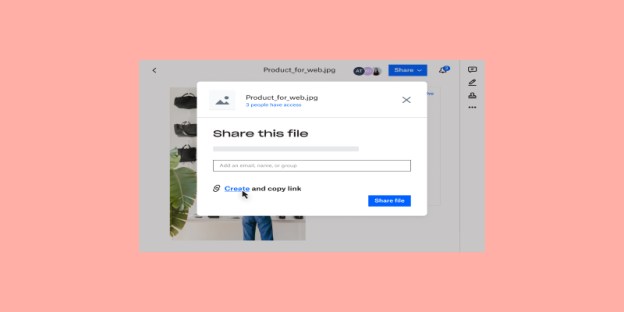
Dropbox is excellent for storing and sharing large files that don't require editing directly in a document format. Its Smart Sync and Paper features make it more than just a digital locker—it helps take notes, brainstorm, and review content.
Documenting And Knowledge Sharing
Notion
Notion is where remote teams often store everything, from team policies to meeting notes and brainstorming documents. You can create pages, link them together, and even embed calendars and task boards. It becomes your team's shared knowledge base.
When used well, Notion helps reduce repeated questions and miscommunication. New hires can find onboarding guides, teammates can review past discussions, and updates stay organized in one place.
Confluence
For companies that use Jira or other Atlassian products, Confluence works as a collaborative documentation tool. It’s especially useful for technical teams or those with lots of internal processes to document. Everything is searchable and easy to update.
Choosing What Fits Your Team Best
No two teams work the same way. Some individuals require a strict structure, while others prefer flexibility. The best tools are those that support your team's natural workflow, rather than forcing them to change their existing processes.
If your team thrives on visual overviews and simplicity, Trello and Google Workspace might be all you need. If your projects are complex and span multiple departments, Asana or ClickUp may be better options. And if your communication needs are constant, Slack or Microsoft Teams can keep everyone in sync.