

Why Is My PC So Slow, And How Can Cleanup Tools Fix It?
Ever found yourself staring at the screen, waiting for your computer to load something that should only take seconds? It's frustrating, isn't it? A slow PC can turn even the most straightforward task into a test of patience. Whether you're working on important projects or just browsing online, sluggish performance can disrupt everything. The good news is that cleanup tools can often make a huge difference.
Before considering a device replacement, it's worth understanding how cleanup tools work and what causes your PC to slow down in the first place. Let’s break it all down in clear, practical steps.
What Causes A PC To Slow Down Over Time?
Your computer isn’t just dealing with one or two tasks at a time. Behind the scenes, it’s juggling temporary files, background applications, system updates, browser data, and more. Over weeks and months, all this digital clutter builds up.

Here are a few reasons your PC might feel slower than usual:
Too Many Startup Programs
Some software starts running the moment you turn on your computer.
Temporary Files
These are created every time you browse the web, install updates, or run certain apps.
Background Processes
Applications can continue running in the background without your knowledge.
Low Disk Space
When your hard drive is close to full, performance can drop significantly.
Registry Issues
In Windows, the registry maintains a database of settings and system options. Over time, this can become bloated or contain outdated entries.
The more of these issues build up, the more sluggish your computer becomes. That’s where cleanup tools come into play.
How Do Cleanup Tools Help Speed Up the Process?
Cleanup tools are designed to target and remove the unnecessary files and processes that drag down performance. Think of them like a digital broom—they sweep out the bits and pieces you no longer need.
Here’s how they help:
Freeing Up Space
They delete old temporary files, unused downloads, log files, and other junk data.
Managing Startup Programs
They allow you to turn off programs that don't need to launch when your computer starts.
Fixing Registry Errors
Some tools can scan your registry for invalid or outdated entries and remove them.
Clearing Browser Data
Cookies, cached images, and history files can accumulate, causing your browser to slow down. Cleanup tools clear these in seconds.
Uninstalling Bloatware
They help identify programs you rarely or never use that are taking up space and resources.
By removing this excess baggage, your system can focus more on the tasks that matter to you.
What Are The Best Cleanup Tools For Windows?
Several tools are available that do a good job, both free and paid. Some are better for casual users, while others offer more advanced features. Let's look at a few that consistently receive good feedback:
Ccleaner
One of the most popular tools, CCleaner, is easy to use and has both free and premium versions. It can clean temporary files, clear your browser data, fix registry issues, and manage startup apps. It also includes an uninstaller to help you remove unwanted software.
Bleachbit
This is a free, open-source tool with a simple interface. It can delete cache, cookies, temporary files, and logs across various applications. It’s a bit more basic than others, but very effective if you know what you’re doing.
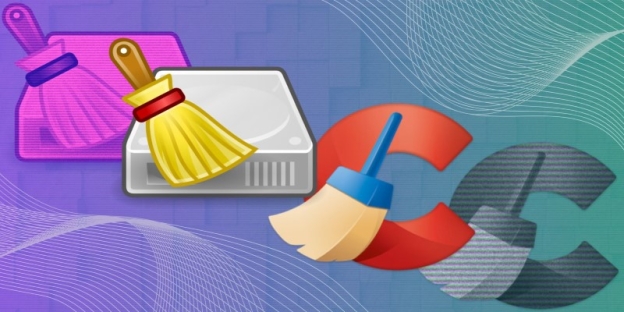
Microsoft’s Built-In Tools (Disk Cleanup And Storage Sense)
Windows has several built-in cleanup features. Disk Cleanup enables you to remove old files manually. Storage Sense can automatically free up space on a schedule. These tools are safe and work well for general maintenance.
Advanced Systemcare
This tool combines cleanup features with security and performance tuning. It offers options like deep registry cleaning, malware protection, and real-time monitoring.
Glary Utilities
Another all-in-one tool, Glary Utilities, has modules for disk cleaning, startup management, and system optimisation. It's suitable for users who want more control over what gets cleaned.
How Often Should You Run Cleanup Tools?
Once a month is a good rule of thumb for most people. If you use your computer heavily—especially for work, gaming, or large file downloads—you might want to run a cleanup every couple of weeks.
You don't need to overdo it. Constantly cleaning your system won't necessarily speed things up, and in rare cases, too aggressive a cleanup might delete files you intended to keep. Use tools with clear options and constantly review what's being deleted before confirming.
Can Cleanup Tools Replace Antivirus Software?
Not really. While some cleanup tools include basic protection features, they're not designed to detect or block viruses or other threats. Think of them more as tune-up tools than security tools.
If your computer is running slowly due to malware, a cleanup tool may help alleviate temporary symptoms. However, you'll still need a proper antivirus scan to address the root of the problem. For best results, use both: an antivirus to protect, and cleanup tools to optimise.
What Else Can You Do To Speed Up Your PC?
Cleanup tools do a lot, but they’re only part of the picture. If you’ve already used one and your computer is still slow, try these steps as well:
Uninstall Unused Software
Check your program list for things you haven't used in months.
Disable Unneeded Startup Programs
Go to Task Manager > Startup and turn off any unnecessary programs that run when your computer starts.
Upgrade Your RAM
If your system supports it, adding more memory can provide a noticeable speed boost.
Switch To SSD
If you're still using an old hard disk, upgrading to a solid-state drive (SSD) can make your PC feel brand new.
Keep Software Updated
Ensure that Windows, your drivers, and all your applications are up to date. Outdated software can slow down your system or cause errors.
Scan For Malware
Use a reliable antivirus or malware scanner to check for hidden threats.
Ready To Clean Up And Speed Up?
A slow PC doesn't always mean you need a new one. Often, it's just bogged down by the clutter it has collected over time. Cleanup tools are a practical way to get things back in shape, and using them regularly can keep your system running smoothly. Whether you're working, studying, or relaxing, having a computer that responds quickly just makes everything easier. Start with one trusted tool, clean up the unnecessary extras, and see how much of a difference it makes.